“I just need to get this out.”
AI ASSISTANTWe can leave the fixes for now.
Response: space to speak01
Make space.
A quiet field accompanies listening. The reply does not rush into advice.
EMOBALL / HUMAN–AI INTERACTION
A soft colour layer accompanies the AI’s reply—showing when it makes space to listen or helps untangle a situation.
For conversations that begin with “something is bothering me,” before a feeling has a name.
Switch the effect off to compare.
Continue the conversation with Send ↑.
The example sends automatically once.
Then continue with Send.
The colour accompanies how the assistant responds: listening, clarifying or acknowledging. It does not measure your feelings.
The same response keeps the same visual meaning throughout this preview.
Scripted conversation · No live AI
Examples are prewritten. No messages are sent or stored.
02 / DESIGN CHOICES
The person’s request shapes the reply. The colour follows how the assistant responds: listening, clarifying or helping with a task.
“I just need to get this out.”
A quiet field accompanies listening. The reply does not rush into advice.
“I don’t know why this bothers me.”
A different palette marks a focused question, without assigning an emotion.
“For now, just shorten this email.”
When the request becomes practical, the field clears and the work takes priority.
CORRECTION IS PART OF THE CONVERSATION
The person clarifies what matters in their own words. The next reply picks up that change.
Why this direction? ↗“Actually, the changes are fine. It is not knowing what counts as finished that gets to me.”
TIMINGNeutral while replying.
Colour arrives with the answer.
CONTROLColour can be switched off.
The words stay the same.
ACCESSCaptions keep the meaning visible.
Motion can be paused.
03 / EMOTION, COLOUR & FORM
The native EmoBall vocabulary remains the foundation. Choose an emotion or mixture to see it across the soft field, silk, fold and orbit. Response-approach colours are a separate, explicitly labelled study.
Original emotion language · authored examples, not automatic analysis.
Separate → soften → hold the words.
Native colour centres become a readable background. Stable message surfaces keep the text clear.
Stretch → bend → repeat.
The same colour regions extend into light bands. Direction and coexistence become form studies.
Rotate → separate → layer.
Turning the bands creates a sense of planes. Overlap is explored without averaging every feeling into one colour.
Distribute → curve → close.
Colour follows a shared elliptical boundary. A bounded light surface becomes possible beyond the phone.
These labels and hue families come from the native project. Fixed web tokens adapt SwiftUI’s semantic colours and the manual HEX catalog; they are not a universal psychological colour scale.
An authored sequence of the emotion-reading candidate. The main chat above currently explores response approach; it does not silently switch between these meanings.
Read the formation logic and research questions ↗04 / EARLY TECHNICAL EXPLORATIONS
I explored two ways to connect an input to colour: a native journal and a separate camera experiment.
In GlasSphere, I connected a written entry to local text analysis, a mixed-colour result and a calendar. The original words stayed with the entry.
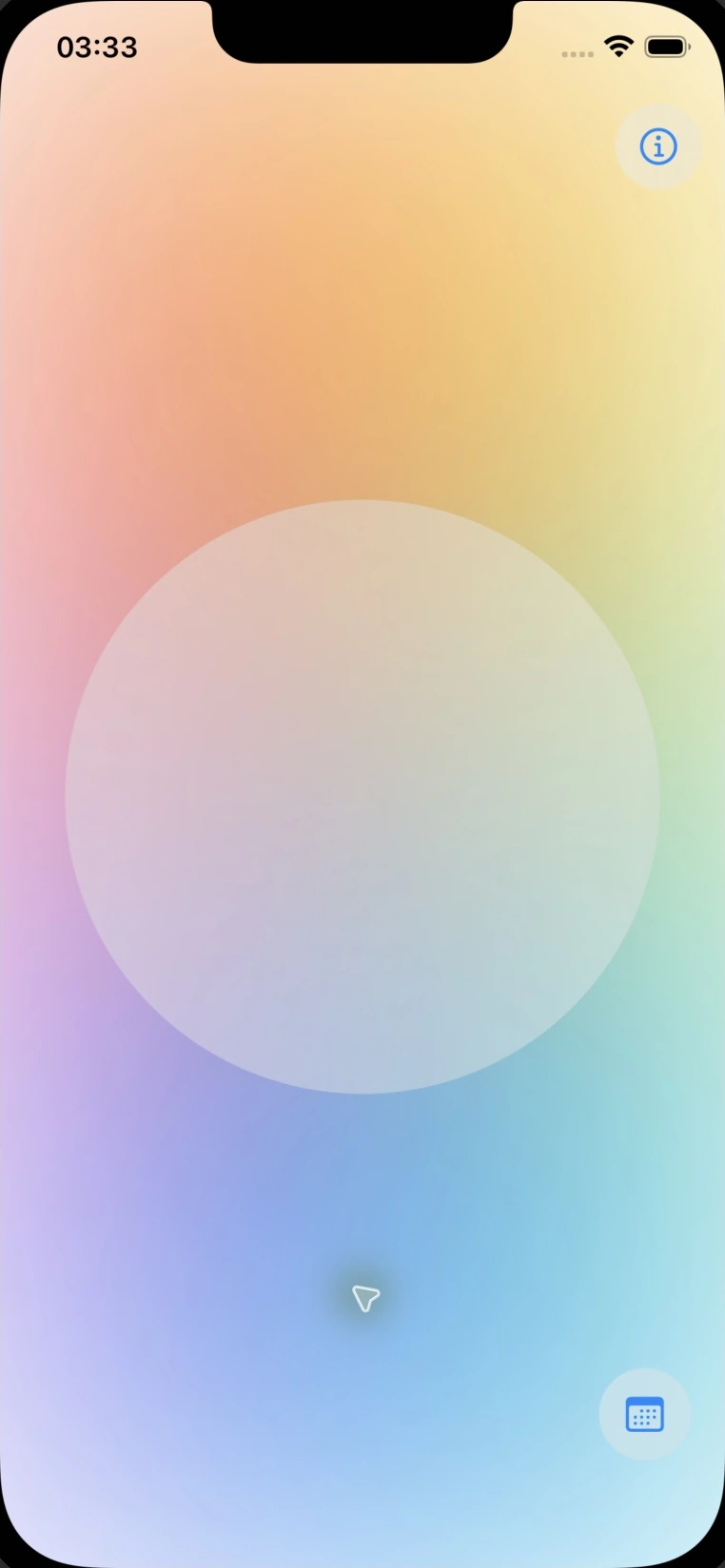
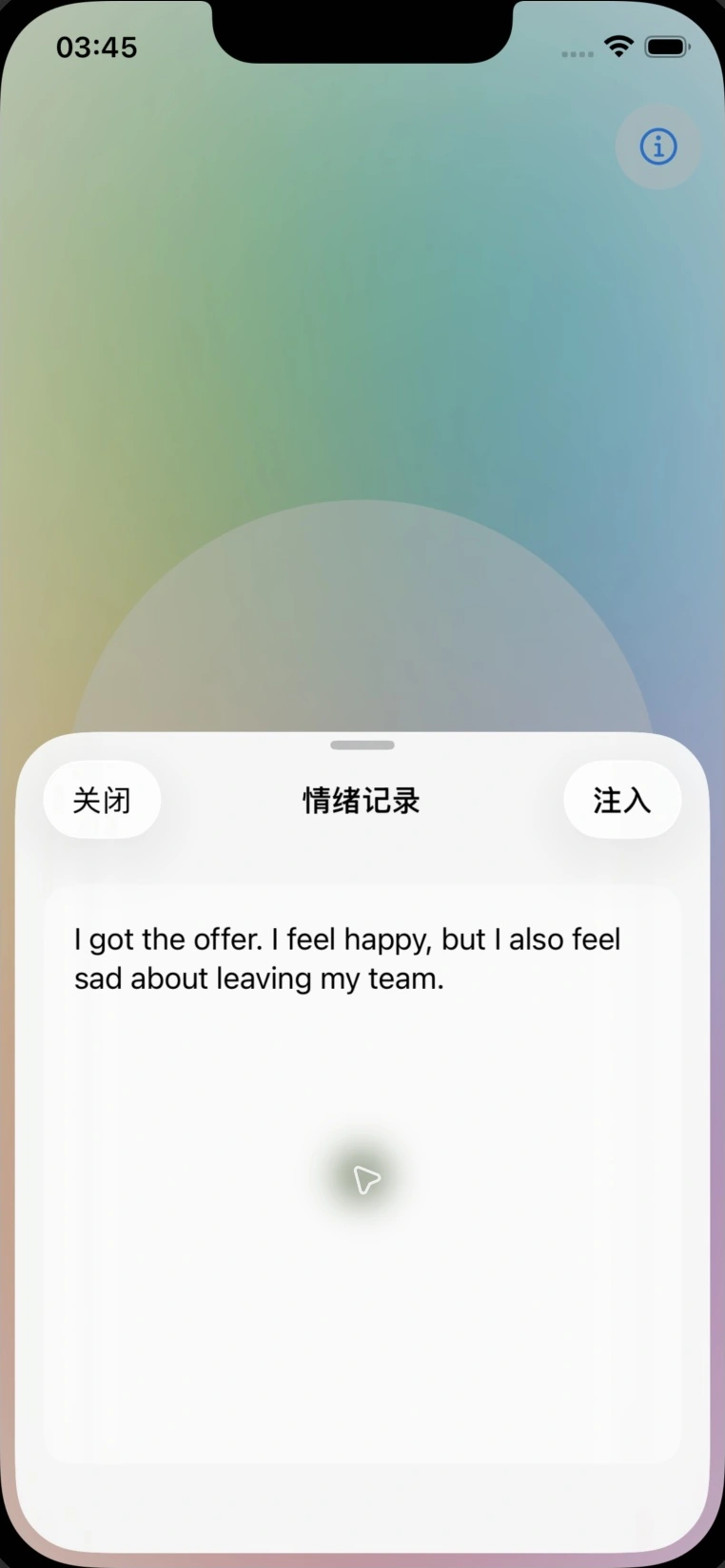
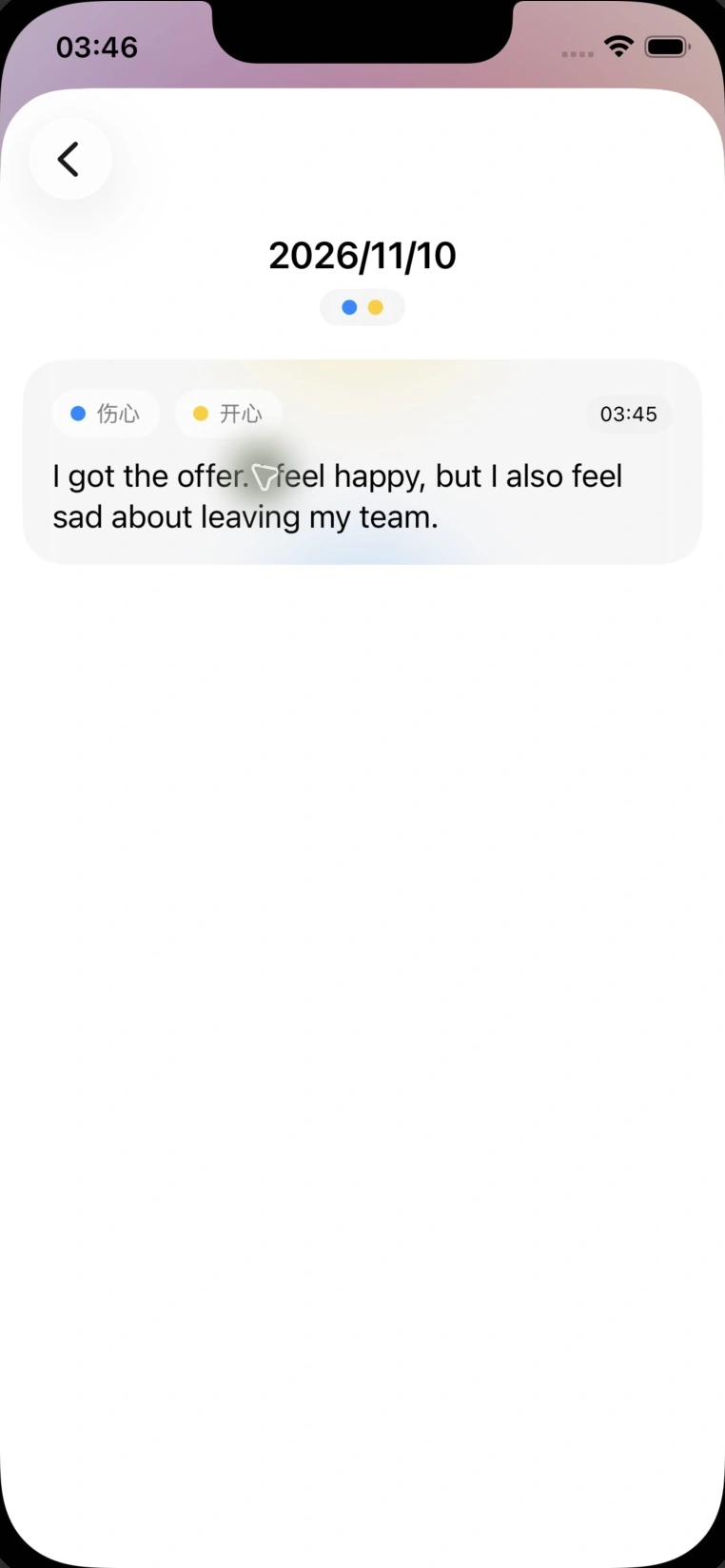
The native case includes the original design boards and a new Simulator recording of the earlier app.
See GlasSphere in use34-second walkthrough, original screens and implementation↗I used Python and OpenCV to connect detected smiles and eye features to four labels. Each label changed the colour of an on-screen ball; a smoothed intensity value controlled its size.
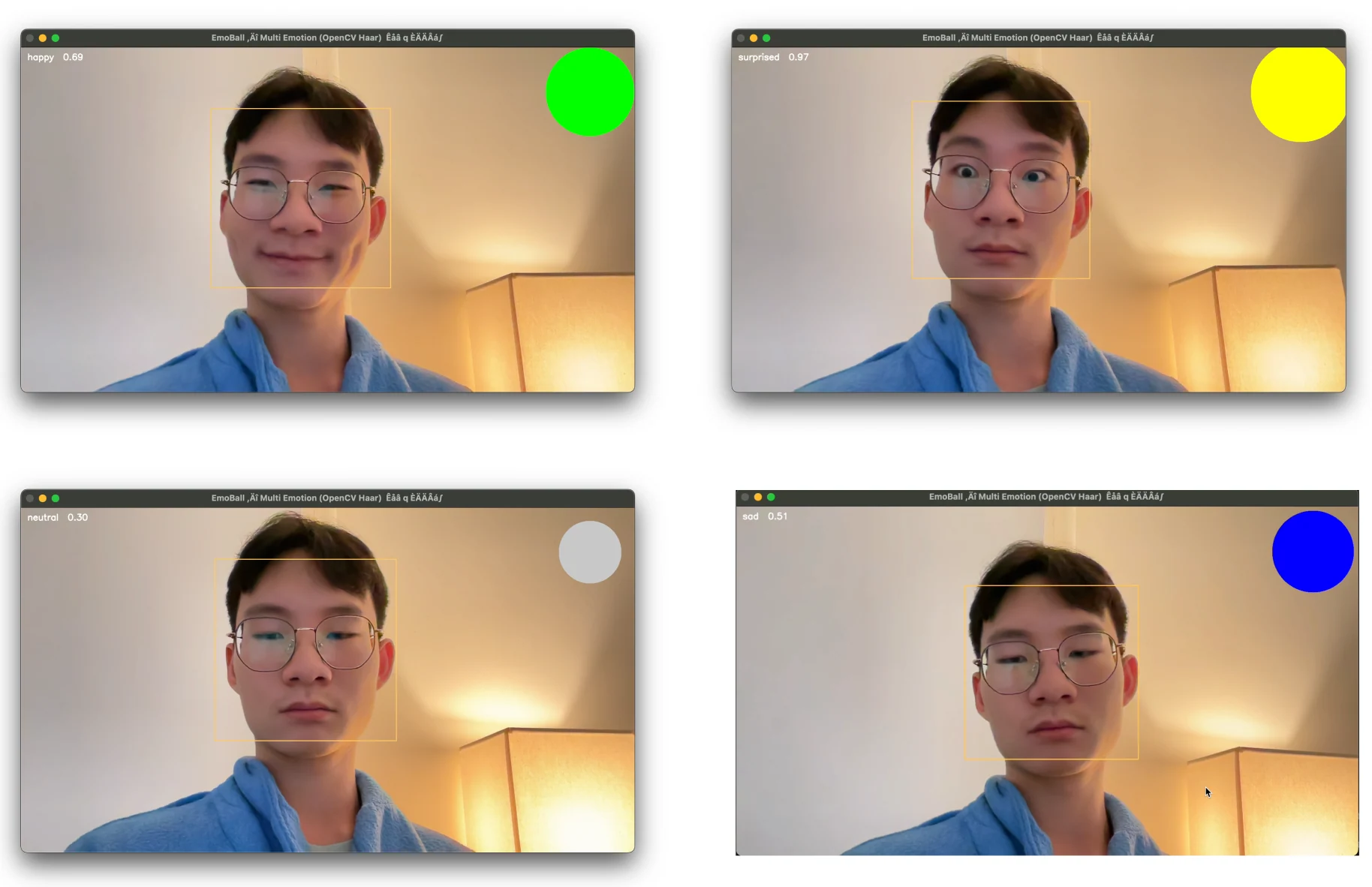
Detect a face, smile and eye regions.
Choose happy, surprised, sad or neutral.
Map the label to colour and smooth the displayed intensity.
The values in the capture are display-strength values, not accuracy scores. This was an expression-input experiment; it is separate from the native text model.
The captured version uses OpenCV’s Haar detectors and rules based on smile presence and eye-region size. An exponential moving average smooths the intensity used for the ball’s radius. Label changes themselves are immediate.
The folder also contains an ONNX/FER+ variant. That is a separate model-based version; it is not the four-label implementation pictured above.
Reviewed from the saved scripts and original captures. This review did not start a new camera session or measure recognition accuracy.
Source record ↗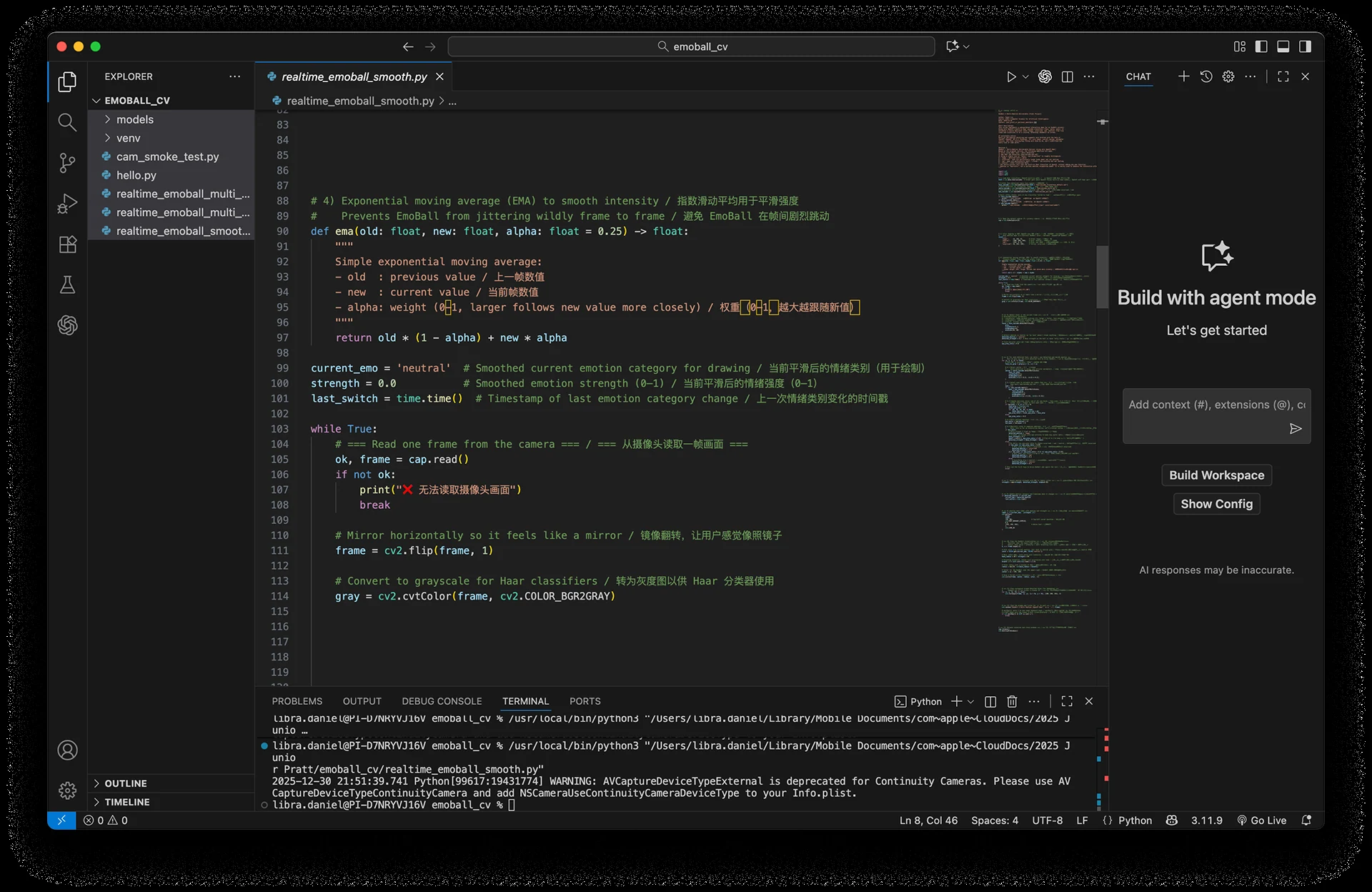
Text remains the input. Colour sits behind the assistant’s reply, where I can explore its timing, meaning and controls through a conversation.
Return to the chat demo ↑05 / FUTURE DIRECTIONS
These are proposed studies. The current chat prototype focuses on mobile conversations.
I would start with a small light-surface prototype that accompanies a spoken reply. The first questions are what people think the light refers to, how it looks from different angles, and how they pause it.
I would begin with a parked-car mock-up to explore where the colour layer belongs and whether it competes with existing dashboard information.
BEHIND THE DESIGN
See the product brief, user journey, expression rules, alternatives and evaluation record behind the experience.